Cloud Native vs. Traditional Apps: What's Actually Different?
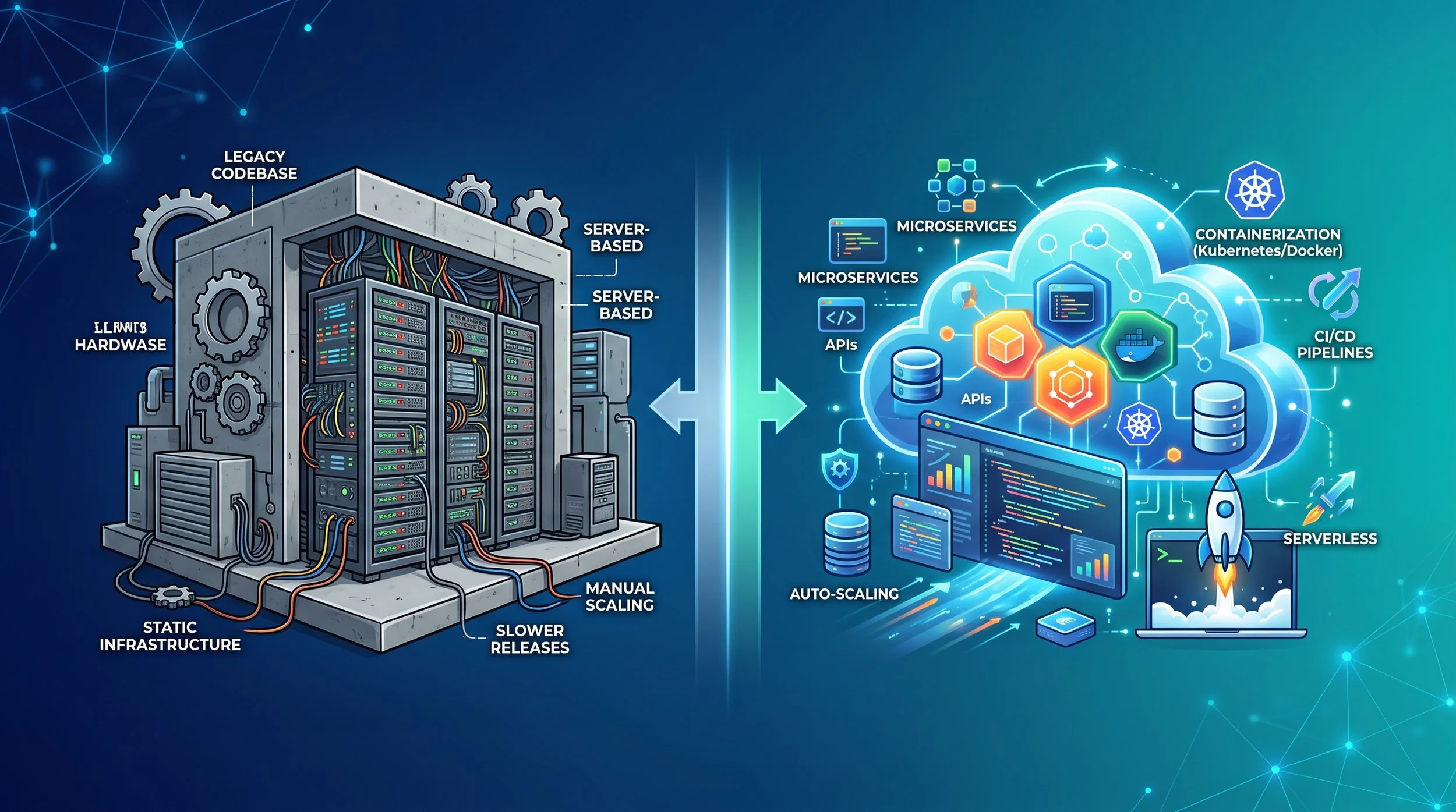
If you've spent any time around software teams lately, you've probably heard the phrase "cloud native" thrown around like it's the only way to build software. But what does it actually mean — and how different is it, really, from the traditional apps that still run huge parts of the world's businesses?
Let's break it down.
Two Different Philosophies
Traditional apps (sometimes called monolithic apps) were built for a world of physical servers and predictable, slow-moving release cycles. A traditional app is usually one large, tightly coupled codebase — the user interface, business logic, and database layer are often bundled together and deployed as a single unit. If you want to update one small feature, you typically have to rebuild and redeploy the entire application.
Cloud native apps, on the other hand, are designed from the ground up to live in the cloud and take full advantage of it. Instead of one big block of code, they're broken into small, independent services — commonly called microservices — that communicate with each other over a network. Each piece can be built, updated, scaled, and deployed on its own, without touching the rest of the system.
Think of a traditional app like a single-family house: if you want to renovate the kitchen, you might have to shut off water to the whole house. A cloud native app is more like an apartment building: you can renovate one unit without disturbing anyone else.
Architecture: Monoliths vs. Microservices
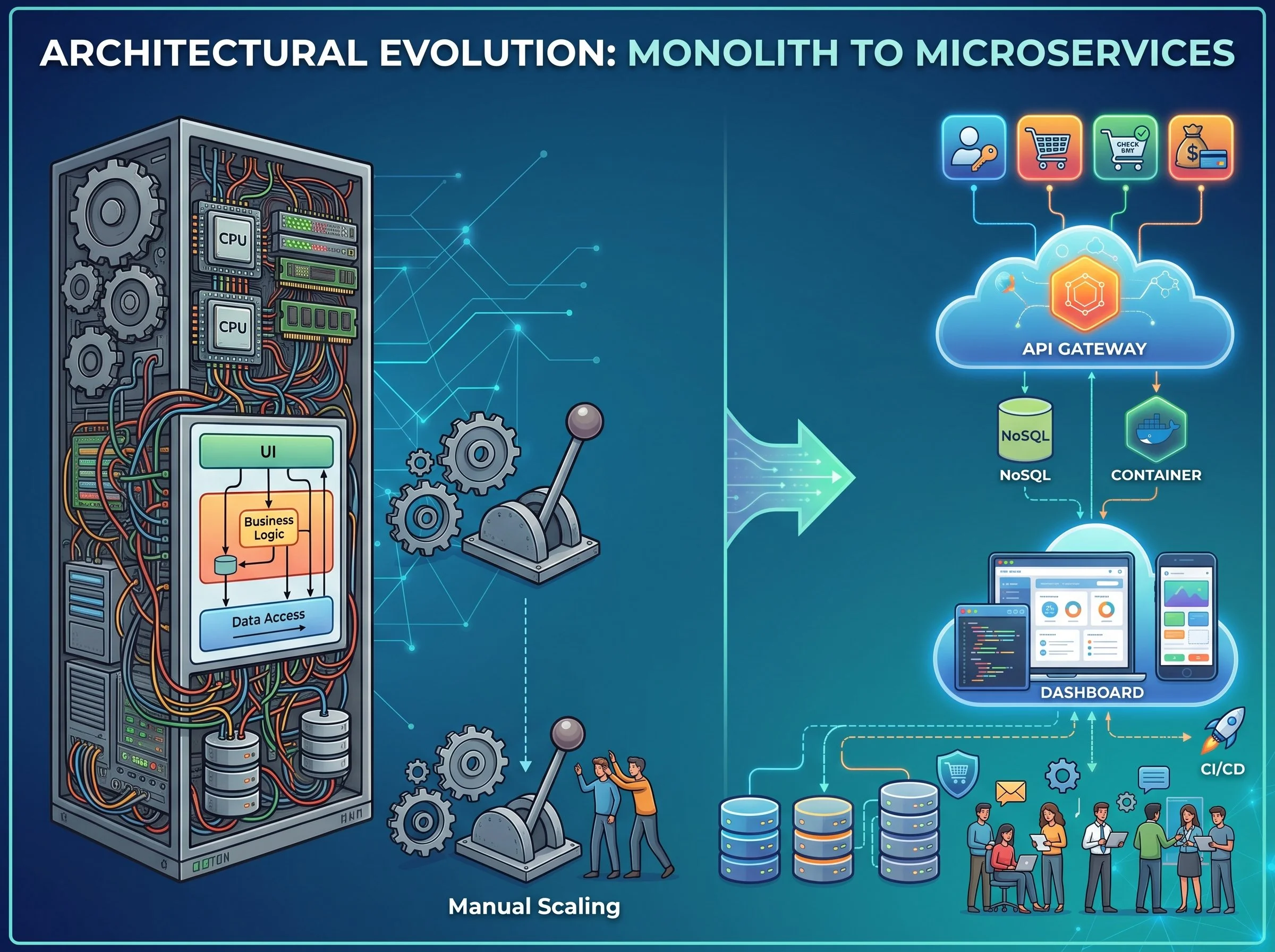
This is the most fundamental difference.
Traditional apps run as monoliths. All the functionality lives in one codebase and one deployable unit. This is simpler to build at first, but it becomes harder to maintain as the app grows — a bug in one module can bring down the whole system, and teams often step on each other's toes working in the same codebase.
Cloud native apps use microservices, often packaged in containers (like Docker) and orchestrated by tools like Kubernetes. Each microservice owns a specific business function — say, payments, or user authentication — and can be developed by a separate team, in a separate language, on its own release schedule.
Infrastructure: Fixed Servers vs. Elastic Cloud Resources
Traditional apps were typically designed to run on specific physical or virtual servers that a company owned or leased. Scaling meant buying bigger, more powerful machines ("scaling up") — a slow and expensive process that often meant paying for capacity you weren't using most of the time.
Cloud native apps are built to run on dynamic, elastic infrastructure — public or private cloud platforms like AWS, Azure, or Google Cloud. Instead of scaling up, they scale out: spinning up additional identical containers or instances automatically when demand increases, and shutting them down when it drops. This is often managed through Infrastructure as Code (IaC), where servers and networking are defined in configuration files instead of manually set up by hand.
Deployment and Release Speed
Traditional apps usually follow a slower, more cautious release cadence — think quarterly or monthly updates, often requiring scheduled downtime and a lengthy QA process before anything goes live. Because everything is bundled together, even a tiny fix requires re-testing and redeploying the whole application.
Cloud native apps are built around continuous integration and continuous delivery (CI/CD). Small, independent services mean small, low-risk changes that can be tested and shipped automatically, sometimes dozens of times a day. Companies like Netflix and Amazon deploy code thousands of times per week — something that would be nearly impossible with a traditional monolithic architecture.
Resilience and Failure Handling
In a traditional app, a failure in one part of the system can often crash the entire application, since everything is interconnected and running in the same process.
Cloud native systems are designed with failure in mind. Because services are independent, if one microservice goes down — say, a recommendation engine — the rest of the app (browsing, checkout, login) can often keep working. Cloud native systems also lean heavily on automated health checks, self-healing infrastructure, and redundancy across multiple servers or even multiple geographic regions.
Development Culture
This difference isn't just technical — it's cultural. Traditional app development often follows a Waterfall-style process: long planning cycles, siloed teams (developers, QA, operations), and infrequent releases.
Cloud native development is closely tied to DevOps and Agile practices. Small, cross-functional teams own their services end-to-end — writing the code, deploying it, and monitoring it in production. This tighter feedback loop lets teams respond to problems and user needs much faster.
Quick Comparison
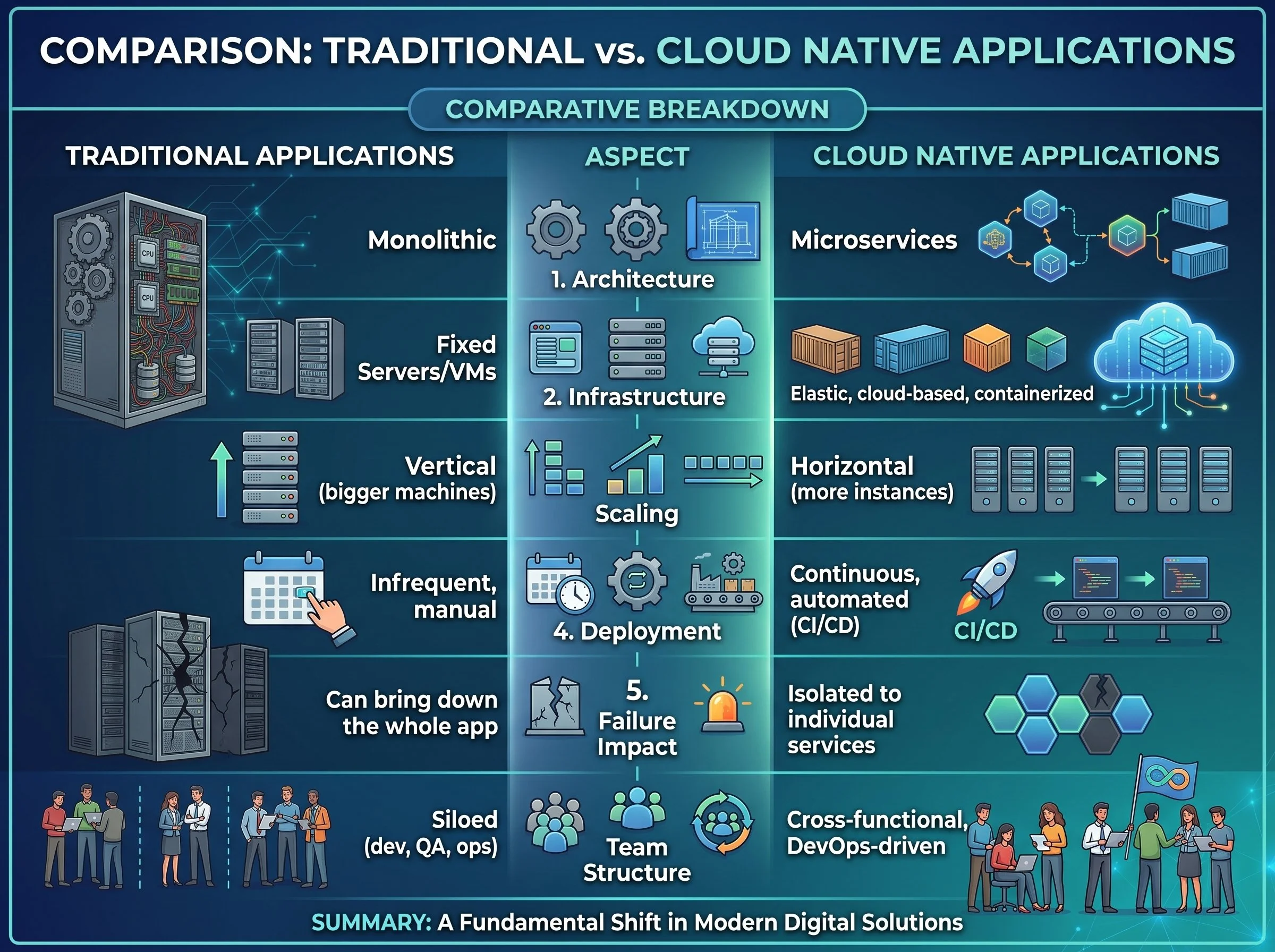
Here is a rough comparison between cloud-native applications and traditional application from different aspects.
So Which One Is "Better"?
Neither approach is universally right. Traditional architectures still make sense for smaller applications, systems with stable and predictable workloads, or organizations without the appetite for the added operational complexity that comes with managing dozens (or hundreds) of microservices.
Cloud native architecture shines when you need rapid scalability, frequent updates, high availability, or you're building for unpredictable demand — think e-commerce during a holiday sale, or a streaming service handling a spike in viewers during a big event.
Many organizations don't make a hard switch overnight. Instead, they take a hybrid approach — gradually breaking pieces of an aging monolith into microservices as the business need (and the budget) allows.
The shift from traditional to cloud native isn't just about swapping servers for containers. It's a fundamentally different way of thinking about how software is built, deployed, and maintained — trading simplicity and predictability for flexibility, resilience, and speed. Understanding that trade-off is the real key to knowing which approach fits your team, your product, and your users.